
A small operations team finishes the n8n install guide on a Sunday afternoon. Docker is up, the workflow editor is reachable at n8n.example.com, the first webhook fires successfully. They wire up four production workflows over the next week — Stripe events to Slack, GitHub releases to internal docs, support tickets to a triage queue, and a daily reporting summary. By the second week, n8n is running 1,200 executions a day. By the third week, somebody asks the question nobody had thought to ask: what happens when this box goes down?
There is no backup. There is no monitoring. There is no rollback for a bad workflow update. The credentials for every connected service — Stripe, GitHub, Slack, the support tool, the database — are encrypted in n8n's local SQLite database, which lives on a single VPS, on a single disk, with no replication. Every business workflow the team automated this month is now hostage to one unattended Docker container.
This is the production-readiness gap. The install guide ended at "n8n is running." Production starts about ten steps later. The good news is the steps are well-defined; the bad news is they are unglamorous and almost nobody writes them up. This is the writeup.
If you have not yet stood up n8n, follow the install guide first — the self-host n8n on a VPS walkthrough gets you to the "running" state. This guide picks up from there.
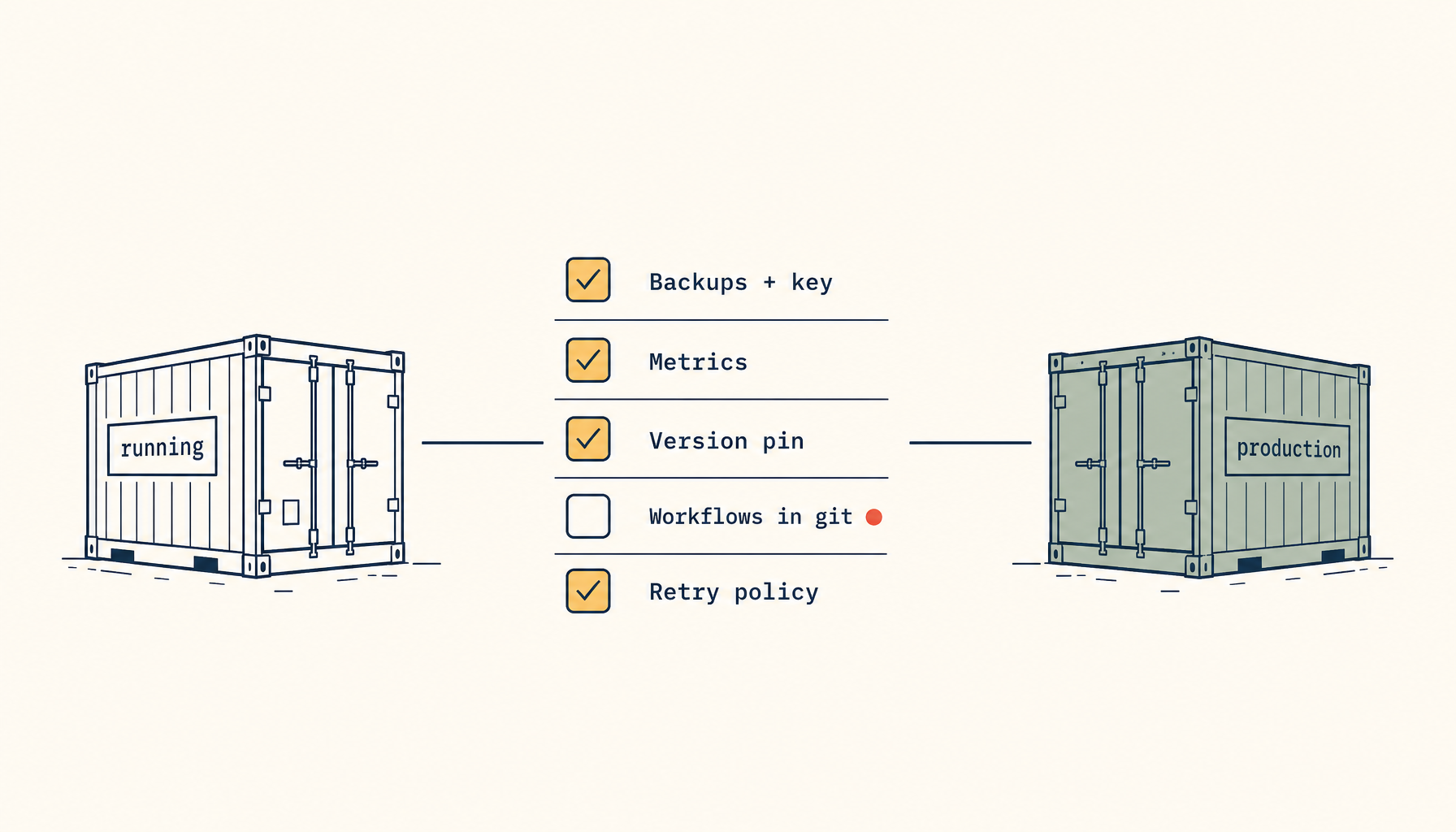
The five gaps between "running" and "production"
Five categories. Address them in order; each one builds on the previous.
- Persistent state safety — backups, encryption keys, restore drills.
- Operational visibility — execution metrics, error alerts, queue depth.
- Update and rollback discipline — version pinning, backup-before-update, rollback path.
- Workflow change control — the workflows themselves are state, not just config.
- Failure recovery — what happens when a workflow fails mid-execution.
Each gap is roughly the same shape: there is something n8n does not do for you by default that turns out to be load-bearing once a real business depends on the box. None of the gaps are hard to close. All of them are easy to forget.
Gap 1 — persistent state safety
n8n's persistent state lives in three places by default: the SQLite (or Postgres) database, the credentials encryption key, and the file system for any binary outputs.
The database. Holds workflow definitions, execution history, credentials (encrypted), and webhook routes. Losing it means losing every workflow you've built. By default, SQLite ships at /home/node/.n8n/database.sqlite inside the container.
The encryption key. Lives at /home/node/.n8n/config (in n8n_encryption_key). Without this exact key, an old database backup is useless — credentials cannot be decrypted. Backups of the database alone are not enough if the key changes.
File system outputs. Workflows that download attachments or write reports use the /files mount. If the box dies, those files die with it.
A working backup setup:
# docker-compose.yml — relevant excerpt
services:
  n8n:
    volumes:
      - n8n_data:/home/node/.n8n
      - n8n_files:/files
volumes:
  n8n_data:
  n8n_files:
# /etc/cron.daily/n8n-backup
#!/usr/bin/env bash
set -euo pipefail

STAMP=$(date +%Y%m%d-%H%M)
DEST=/var/backups/n8n/$STAMP

mkdir -p $DEST

docker exec n8n sqlite3 /home/node/.n8n/database.sqlite ".backup '/home/node/.n8n/db-$STAMP.sqlite'"
docker cp n8n:/home/node/.n8n/db-$STAMP.sqlite $DEST/database.sqlite
docker exec n8n rm /home/node/.n8n/db-$STAMP.sqlite

docker cp n8n:/home/node/.n8n/config $DEST/config

# Off-site copy
rclone copy $DEST hetzner:n8n-backups/$STAMP

# Retention
find /var/backups/n8n -mindepth 1 -maxdepth 1 -mtime +30 -exec rm -rf {} \;
Note sqlite3 .backup — not a file copy. SQLite uses write-ahead logging; copying the file directly produces a corrupt backup half the time. The .backup command produces a consistent snapshot. The encryption key file (config) is small; copy it on every backup.
Run a restore drill. Once a quarter, on a fresh VPS, restore from a backup and prove n8n comes up with workflows intact. A backup that has never been restored is not a backup; it is hope. The number of teams that discover this on the day they need to restore is unreasonably high.
Gap 2 — operational visibility
By default, n8n logs to stdout and that is the entirety of its observability story. For a single workflow, that is fine. For 1,200 executions a day, you need three signals:
Execution success rate. What percentage of executions in the last hour succeeded? A drop from 99% to 92% is meaningful — somebody changed an upstream API or rotated a token.
Queue depth. If using the queue runner mode (which you should, once you have more than ~50 executions a day), how many pending executions are waiting? A growing queue means n8n cannot keep up with incoming triggers.
Per-workflow failure count. Which specific workflows are failing? Aggregate success rate hides the case where one workflow is failing 100% while everything else is fine.
The minimum viable setup is the n8n Prometheus endpoint plus a simple Grafana dashboard. Enable it with:
N8N_METRICS=true
N8N_METRICS_PREFIX=n8n_
Scrape the /metrics endpoint, alert on n8n_workflow_failed_total rate of change, and you have caught 90% of the cases that matter. If you are not running Prometheus, even logging the per-execution result to a managed log service (BetterStack, Axiom, Loki) and a single weekly review is more than zero. Anything beats the default.
Gap 3 — update and rollback discipline
n8n releases roughly weekly. Some releases are bug fixes, some are new features, some are breaking schema changes that require a database migration. Pulling n8nio/n8n:latest is the path that produces the most "this used to work yesterday" incidents.
A working policy:
- Pin to a specific version, e.g.
n8nio/n8n:1.42.0, in your compose file. - Read the release notes before bumping. n8n maintains a clean changelog; read the entries between your current version and the target.
- Back up before bumping. Run the backup script manually as the first step of every update.
- Test on a staging instance for any breaking change. A second VPS at $4/month with a copy of production workflows catches schema-incompatible upgrades.
- Bump in a maintenance window when the queue is empty, if your workflows tolerate any pause. Most do not need this; some critical webhook flows do.
The rollback path: stop the container, restore the pre-bump database backup, downgrade the image tag, restart. The encryption key from the backup matters here — do not forget to restore it alongside the database.
Gap 4 — workflow change control
The workflows themselves are state. Every change to a workflow is a change to your business logic. By default, n8n stores workflows in its database and that is it — no version history beyond what n8n's own UI tracks, which is limited.
Two practices close this gap.
Export workflows to JSON, commit them to git. A small cron job that runs n8n export:workflow --all --output=/data/workflows-export.json once a day, paired with a git commit and push to a private repo, gives you a full version history outside n8n. Reverting a bad workflow change becomes a git revert.
Treat the production n8n instance as deploy-only. Editing live workflows in the n8n UI on the production box is fast but it bypasses every other safeguard. Build the discipline of editing in a staging instance, exporting, committing, and importing to production. It is slower for a week and a lot safer for the rest of the year.
These two practices together turn workflow management from "trust the n8n UI history" to "your workflows are in git, like every other piece of your codebase."
Gap 5 — failure recovery
When an execution fails mid-run, n8n's default behavior is to mark it failed and stop. That is correct for most workflows. For a few specific shapes, it is not enough.
Idempotent workflows that can be safely retried. A "Stripe webhook → record in database" workflow that fails because the database was momentarily unreachable should retry with exponential backoff. Configure this at the workflow level (each node has retry settings) rather than relying on the upstream caller to retry.
Workflows with side effects that cannot be naively retried. A "send email when order ships" workflow that fails after sending the email but before recording it must not retry the email send. The fix is to design the workflow so the side-effect step is the last step (so a retry from before it is safe) or to mark which executions completed which side effects in your own database.
Long-running workflows that hit a timeout. Default n8n execution timeout is 5 minutes. Workflows that legitimately take longer (large data exports, batch enrichment) need an explicit executionTimeout override. Without it, they fail silently halfway through and produce inconsistent state.
Spend the time once to classify each of your workflows into one of these three buckets. The classification is one column in a spreadsheet per workflow. The discipline is in checking that column when you write the next workflow.
A 30-minute production readiness pass
Most of what's above can be installed in one afternoon. A working ordering for a team that already has n8n running and is reading this guide:
- Volume mount the data directory if not already (5 min).
- Add the daily backup cron with off-site copy (10 min).
- Enable metrics and point Prometheus at it (5 min, assuming Prometheus is already running).
- Pin the n8n image to its current version in compose (1 min).
- Schedule a quarterly restore drill on the calendar (1 min).
- Set up the daily JSON export of workflows to git (10 min).
That is the production-readiness pass. It is not exotic, it is not hard. It is the difference between an n8n instance that survives the next disk failure and one that does not.
The pattern under all five gaps is the same: n8n's defaults optimize for "you are exploring the tool" rather than "you are running it for a business." That is the right default for the install experience. It becomes the wrong default the moment a real workflow starts running every day. Closing the gap is one afternoon of setup. The team that does it is the team that does not have a Sunday-night incident in three months.
Related in the StoicSoft network
If you run monitoring, uptime checks, or alerting across self-hosted apps like the ones above, ServerCompass is the StoicSoft network's tool for wiring tiered severity, flap suppression, and low-noise alerts into a single dashboard.