
Set up automated deployments from GitHub to your VPS. Push to main, and your changes go live automatically.
Overview
This guide covers three deployment strategies:
- SSH and pull - Simple, good for small projects
- Docker image via registry - Better for production
- Zero-downtime with health checks - Best for critical apps
Pick the one that matches your needs.
Prerequisites on your VPS
Ensure Docker is installed:
curl -fsSL https://get.docker.com | sh
sudo usermod -aG docker $USER
Create a deploy user (recommended over using root):
sudo adduser deploy
sudo usermod -aG docker deploy
sudo usermod -aG sudo deploy
Step 1: Set up SSH key authentication
On your local machine, generate a deployment key:
ssh-keygen -t ed25519 -C "github-actions-deploy" -f ~/.ssh/deploy_key -N ""
Copy the public key to your VPS:
ssh-copy-id -i ~/.ssh/deploy_key.pub deploy@YOUR_VPS_IP
Test the connection:
ssh -i ~/.ssh/deploy_key deploy@YOUR_VPS_IP "echo 'Connection successful'"
Step 2: Add secrets to GitHub
Go to your repository on GitHub:
- Settings > Secrets and variables > Actions
- Add these repository secrets:
| Secret Name | Value |
|---|---|
VPS_HOST | Your VPS IP address |
VPS_USER | deploy (or your deploy user) |
VPS_SSH_KEY | Contents of ~/.ssh/deploy_key (private key) |
VPS_PORT | 22 (or your SSH port) |
To copy the private key:
cat ~/.ssh/deploy_key
Copy everything including the -----BEGIN and -----END lines.
Strategy 1: SSH and pull (simplest)
This strategy SSHes into your VPS, pulls the latest code, and rebuilds.
Create .github/workflows/deploy.yml:
name: Deploy to VPS

on:
  push:
    branches:
      - main

jobs:
  deploy:
    runs-on: ubuntu-latest
    steps:
      - name: Deploy via SSH
        uses: appleboy/[email protected]
        with:
          host: ${{ secrets.VPS_HOST }}
          username: ${{ secrets.VPS_USER }}
          key: ${{ secrets.VPS_SSH_KEY }}
          port: ${{ secrets.VPS_PORT }}
          script: |
            cd ~/apps/your-app
            git pull origin main
            docker compose down
            docker compose up -d --build
            docker image prune -f
Pros:
- Simple setup
- No registry needed
- Good for small projects
Cons:
- Build happens on VPS (uses VPS resources)
- Downtime during rebuild
- Slower for large builds
Strategy 2: Docker image via registry (recommended)
Build on GitHub, push to a registry, pull on VPS.
Set up GitHub Container Registry
Add another secret to your repository:
| Secret Name | Value |
|---|---|
GHCR_TOKEN | Your GitHub Personal Access Token with write:packages scope |
Or use the automatic GITHUB_TOKEN (simpler).
Create the workflow
Create .github/workflows/deploy.yml:
name: Build and Deploy

on:
  push:
    branches:
      - main

env:
  REGISTRY: ghcr.io
  IMAGE_NAME: ${{ github.repository }}

jobs:
  build:
    runs-on: ubuntu-latest
    permissions:
      contents: read
      packages: write

    outputs:
      image_tag: ${{ steps.meta.outputs.tags }}

    steps:
      - name: Checkout repository
        uses: actions/checkout@v4

      - name: Set up Docker Buildx
        uses: docker/setup-buildx-action@v3

      - name: Log in to Container Registry
        uses: docker/login-action@v3
        with:
          registry: ${{ env.REGISTRY }}
          username: ${{ github.actor }}
          password: ${{ secrets.GITHUB_TOKEN }}

      - name: Extract metadata
        id: meta
        uses: docker/metadata-action@v5
        with:
          images: ${{ env.REGISTRY }}/${{ env.IMAGE_NAME }}
          tags: |
            type=sha,prefix=
            type=raw,value=latest

      - name: Build and push
        uses: docker/build-push-action@v5
        with:
          context: .
          push: true
          tags: ${{ steps.meta.outputs.tags }}
          cache-from: type=gha
          cache-to: type=gha,mode=max

  deploy:
    needs: build
    runs-on: ubuntu-latest

    steps:
      - name: Deploy to VPS
        uses: appleboy/[email protected]
        with:
          host: ${{ secrets.VPS_HOST }}
          username: ${{ secrets.VPS_USER }}
          key: ${{ secrets.VPS_SSH_KEY }}
          port: ${{ secrets.VPS_PORT }}
          script: |
            cd ~/apps/your-app

            # Pull the latest image
            docker pull ghcr.io/${{ github.repository }}:latest

            # Update the running container
            docker compose down
            docker compose up -d

            # Clean up old images
            docker image prune -f
Update your docker-compose.yml on the VPS to use the registry image:
services:
  app:
    image: ghcr.io/yourusername/your-repo:latest
    restart: unless-stopped
    # ... rest of your config
Log in to GHCR on your VPS (one-time setup):
echo $GITHUB_TOKEN | docker login ghcr.io -u yourusername --password-stdin
Pros:
- Build happens on GitHub runners (free)
- Faster deploys (just pull, no build)
- Versioned images for rollbacks
Cons:
- More setup
- Requires registry access on VPS
Strategy 3: Zero-downtime deployment
Use Docker Compose with health checks and rolling updates.
Update docker-compose.yml
services:
  app:
    image: ghcr.io/yourusername/your-repo:latest
    restart: unless-stopped
    deploy:
      replicas: 2
      update_config:
        parallelism: 1
        delay: 10s
        failure_action: rollback
      rollback_config:
        parallelism: 1
        delay: 10s
    healthcheck:
      test: ["CMD", "curl", "-f", "http://localhost:3000/health"]
      interval: 10s
      timeout: 5s
      retries: 3
      start_period: 40s
    labels:
      - traefik.enable=true
      - traefik.http.routers.app.rule=Host(`yourdomain.com`)
      - traefik.http.routers.app.tls=true
      - traefik.http.routers.app.tls.certresolver=letsencrypt
      - traefik.http.services.app.loadbalancer.server.port=3000
Add a health endpoint to your app:
// Express example
app.get('/health', (req, res) => {
  res.status(200).json({ status: 'ok' });
});
Update the workflow
name: Zero-Downtime Deploy

on:
  push:
    branches:
      - main

env:
  REGISTRY: ghcr.io
  IMAGE_NAME: ${{ github.repository }}

jobs:
  build:
    runs-on: ubuntu-latest
    permissions:
      contents: read
      packages: write

    steps:
      - uses: actions/checkout@v4

      - uses: docker/setup-buildx-action@v3

      - uses: docker/login-action@v3
        with:
          registry: ${{ env.REGISTRY }}
          username: ${{ github.actor }}
          password: ${{ secrets.GITHUB_TOKEN }}

      - name: Build and push
        uses: docker/build-push-action@v5
        with:
          context: .
          push: true
          tags: |
            ${{ env.REGISTRY }}/${{ env.IMAGE_NAME }}:${{ github.sha }}
            ${{ env.REGISTRY }}/${{ env.IMAGE_NAME }}:latest
          cache-from: type=gha
          cache-to: type=gha,mode=max

  deploy:
    needs: build
    runs-on: ubuntu-latest

    steps:
      - name: Zero-downtime deploy
        uses: appleboy/[email protected]
        with:
          host: ${{ secrets.VPS_HOST }}
          username: ${{ secrets.VPS_USER }}
          key: ${{ secrets.VPS_SSH_KEY }}
          port: ${{ secrets.VPS_PORT }}
          script: |
            cd ~/apps/your-app

            # Pull new image
            docker pull ghcr.io/${{ github.repository }}:${{ github.sha }}

            # Tag as latest
            docker tag ghcr.io/${{ github.repository }}:${{ github.sha }} \
                       ghcr.io/${{ github.repository }}:latest

            # Rolling update
            docker compose up -d --no-deps --scale app=2 app

            # Wait for health checks
            sleep 30

            # Remove old containers
            docker compose up -d --no-deps --scale app=1 app

            # Cleanup
            docker image prune -f

      - name: Verify deployment
        uses: appleboy/[email protected]
        with:
          host: ${{ secrets.VPS_HOST }}
          username: ${{ secrets.VPS_USER }}
          key: ${{ secrets.VPS_SSH_KEY }}
          port: ${{ secrets.VPS_PORT }}
          script: |
            curl -f https://yourdomain.com/health || exit 1
Running tests before deploy
Add a test job:
jobs:
  test:
    runs-on: ubuntu-latest
    steps:
      - uses: actions/checkout@v4

      - uses: actions/setup-node@v4
        with:
          node-version: '20'
          cache: 'npm'

      - run: npm ci
      - run: npm test
      - run: npm run lint

  build:
    needs: test
    # ... rest of build job
Environment-specific deploys
Deploy to staging on PR, production on main:
name: Deploy

on:
  push:
    branches:
      - main
  pull_request:
    branches:
      - main

jobs:
  deploy-staging:
    if: github.event_name == 'pull_request'
    runs-on: ubuntu-latest
    environment: staging
    steps:
      - name: Deploy to staging
        uses: appleboy/[email protected]
        with:
          host: ${{ secrets.STAGING_HOST }}
          username: ${{ secrets.VPS_USER }}
          key: ${{ secrets.VPS_SSH_KEY }}
          script: |
            cd ~/apps/your-app-staging
            docker compose pull
            docker compose up -d

  deploy-production:
    if: github.event_name == 'push' && github.ref == 'refs/heads/main'
    runs-on: ubuntu-latest
    environment: production
    steps:
      - name: Deploy to production
        uses: appleboy/[email protected]
        with:
          host: ${{ secrets.VPS_HOST }}
          username: ${{ secrets.VPS_USER }}
          key: ${{ secrets.VPS_SSH_KEY }}
          script: |
            cd ~/apps/your-app
            docker compose pull
            docker compose up -d
Deployment notifications
Add Slack or Discord notifications:
  notify:
    needs: deploy
    runs-on: ubuntu-latest
    if: always()
    steps:
      - name: Notify on success
        if: needs.deploy.result == 'success'
        uses: slackapi/[email protected]
        with:
          payload: |
            {
              "text": "Deployed ${{ github.repository }} to production",
              "blocks": [
                {
                  "type": "section",
                  "text": {
                    "type": "mrkdwn",
                    "text": "*Deployed to production*\nRepo: ${{ github.repository }}\nCommit: ${{ github.sha }}"
                  }
                }
              ]
            }
        env:
          SLACK_WEBHOOK_URL: ${{ secrets.SLACK_WEBHOOK }}

      - name: Notify on failure
        if: needs.deploy.result == 'failure'
        uses: slackapi/[email protected]
        with:
          payload: |
            {
              "text": "Deployment failed for ${{ github.repository }}",
              "blocks": [
                {
                  "type": "section",
                  "text": {
                    "type": "mrkdwn",
                    "text": "*Deployment failed*\nRepo: ${{ github.repository }}\nCheck: ${{ github.server_url }}/${{ github.repository }}/actions/runs/${{ github.run_id }}"
                  }
                }
              ]
            }
        env:
          SLACK_WEBHOOK_URL: ${{ secrets.SLACK_WEBHOOK }}
Rollback strategy
Keep the previous image for quick rollbacks:
# On VPS, before deploying
docker tag ghcr.io/you/app:latest ghcr.io/you/app:previous

# To rollback
docker tag ghcr.io/you/app:previous ghcr.io/you/app:latest
docker compose up -d
Or use specific commit SHA tags:
# Rollback to specific version
docker pull ghcr.io/you/app:abc1234
docker tag ghcr.io/you/app:abc1234 ghcr.io/you/app:latest
docker compose up -d
Troubleshooting
SSH connection refused
- Verify the IP address is correct
- Check SSH is running:
sudo systemctl status ssh - Check firewall:
sudo ufw status - Verify the key was added to authorized_keys
Permission denied (publickey)
- Ensure the private key in GitHub Secrets includes all lines
- Check key permissions on VPS:
chmod 600 ~/.ssh/authorized_keys - Verify the username matches
Docker pull fails on VPS
Log in to the registry:
echo $GITHUB_TOKEN | docker login ghcr.io -u yourusername --password-stdin
Check the image visibility (must be public or you need auth).
Workflow never triggers
- Check the branch name matches exactly
- Verify the workflow file is in
.github/workflows/ - Check the YAML syntax is valid
Build succeeds but deploy fails
Check the SSH script output in GitHub Actions logs. Common issues:
- Wrong directory path
- Missing environment variables
- Docker Compose syntax errors
Where to go next
Tutorials:
Comparisons:
ServerCompass:
Related in the StoicSoft network
If you work in AI-assisted coding, shared terminal sessions, or agent-driven shell workflows like the ones above, 1devtool is the StoicSoft network's tool for safer AI-assisted terminal work — shared sessions with auditing, preflight policy, and tiered model routing built in.
From across the StoicSoft network
Hand-curated reads on the same topic from sister sites in the StoicSoft family.
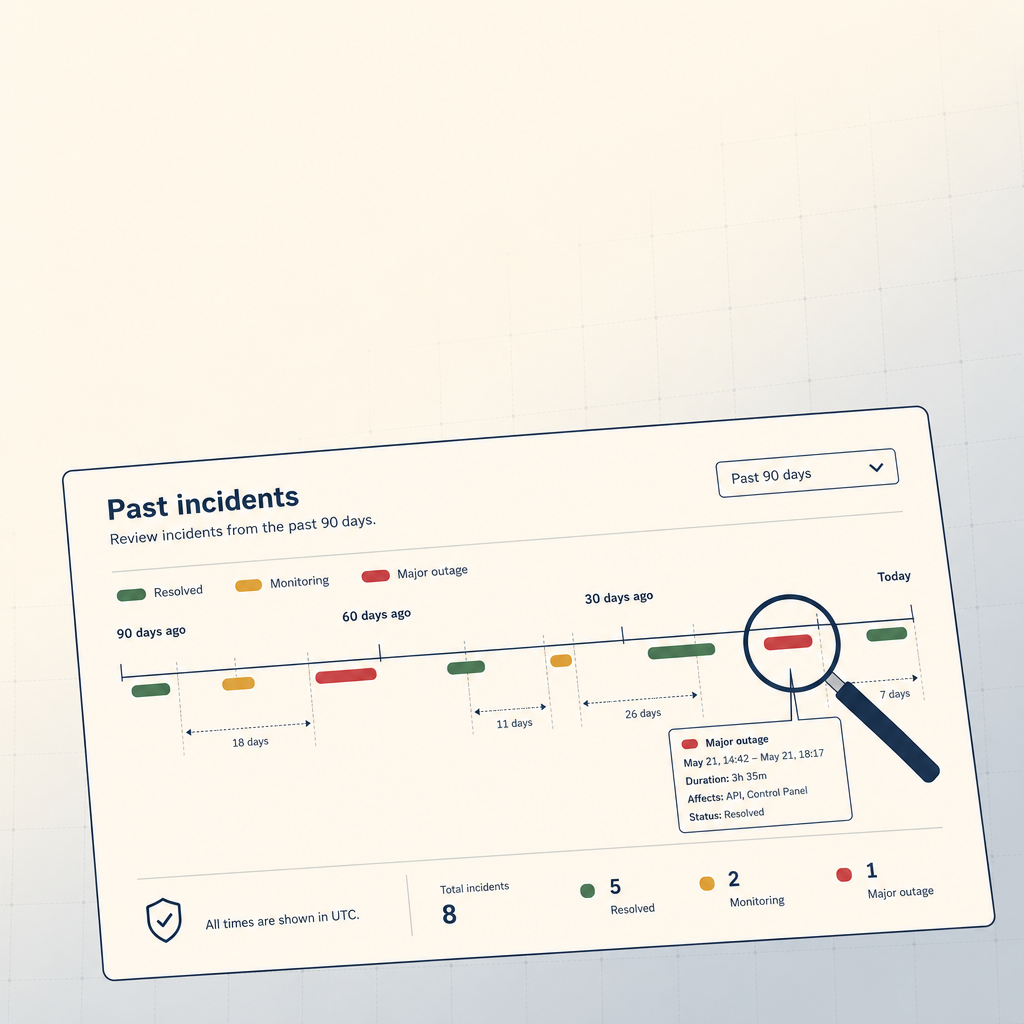 StoicVPS8 min read
How to Read a VPS Provider's Status Page (And What to Ignore)
The status page is the single most underused signal in VPS provider evaluation. The 90-day skim, what to look for, and what to weight elsewhere.
Read on stoicvps.com 1FileTool5 min read
Watch Any Folder. Process Files as They Arrive.
The Folder Monitor watches any folder and automatically applies a tool to every new file — compress, convert, strip metadata — in the background, without you having to touch the tool each time.
Read on 1filetool.com